

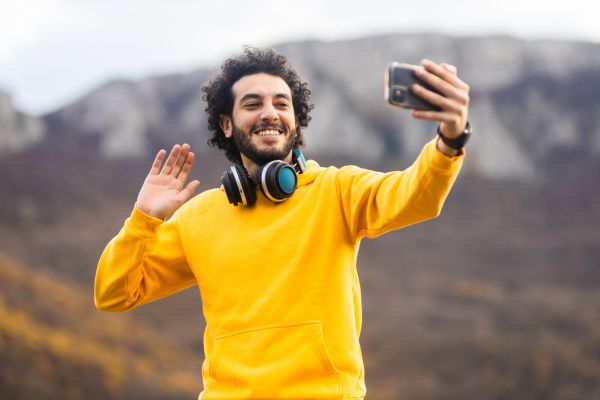
Travel vlogging looks effortless when the final video appears online. A sunrise rolls across the mountains, a street market hums with life, a train window frames a passing landscape, and everything seems to flow naturally from one scene to the next. But behind that smooth story is a long editing process. The clips have to be trimmed, the sound cleaned up, the colors adjusted, and the scattered moments shaped into something people actually want to watch.
That is why choosing the right editing software for travel vlogs matters so much. Travel footage is rarely perfect. It is filmed in moving cars, windy beaches, crowded streets, bright deserts, rainy alleys, and dim hotel rooms. A good editing tool helps bring all of that uneven material together without taking away the feeling of being there.
For travel vloggers, editing is not just technical work. It is where the journey becomes a story.
Why Travel Vlogs Need Thoughtful Editing
Travel videos are built from movement. There are walking shots, drone clips, food close-ups, hotel room tours, airport scenes, local conversations, and quiet personal reflections. Without careful editing, even the most beautiful destination can feel messy on screen.
The purpose of editing is not to make every moment look perfect. In fact, travel vlogs often feel better when they keep a little texture. A shaky street clip, a laugh between takes, or the sound of rain outside a window can make a video feel real. The challenge is knowing what to keep and what to remove.
Good editing software gives vloggers enough control to shape the video while still preserving the natural energy of travel. It allows the creator to organize clips, match colors, fix audio, add music, and guide the viewer through the experience.
Finding Software That Fits Your Skill Level
Not every travel vlogger needs the most advanced editing platform. Beginners often benefit from simple software that helps them learn the basics without feeling overwhelmed. More experienced creators may want deeper control over color grading, audio mixing, transitions, and export settings.
The best choice depends on where you are in your creative journey. A new vlogger editing short city walks or weekend trips may need something clean, fast, and easy to understand. A creator producing cinematic travel films may need professional tools with more detailed features.
There is no shame in starting simple. Many strong travel channels begin with basic edits, clear storytelling, and honest footage. As the style develops, the software can grow with it.
Ease of Use Matters When You Are on the Road
Travel vloggers do not always edit from a calm desk setup. Sometimes editing happens in a hostel lounge, on a plane, in a café, or late at night after a long day outside. Complicated software can quickly become frustrating in those situations.
A good editing program for travel should feel practical. It should allow you to import footage easily, organize clips without confusion, and make quick changes when needed. If the interface constantly slows you down, the editing process can start to feel heavier than the trip itself.
This is especially important for vloggers who publish regularly while traveling. When the schedule is tight, simple workflows matter. The right software helps you finish videos without draining all your creative energy.
Mobile Editing for Fast Travel Content
Mobile editing has become a major part of travel vlogging. Many creators now shoot clips on their phones and edit them on the same device. This is especially useful for short-form videos, quick updates, reels, and behind-the-scenes travel moments.
Mobile editing apps are not just basic tools anymore. Many now offer trimming, text overlays, music, filters, transitions, subtitles, and even advanced timeline controls. For creators who travel light, mobile editing can be surprisingly powerful.
The biggest advantage is speed. You can edit a beach clip before leaving the café or put together a food market reel while sitting on the train. For spontaneous travel content, that flexibility is hard to beat.
Still, mobile editing has limits. Larger projects with many clips, layered audio, and detailed color work may feel easier on a laptop or desktop. But for everyday travel storytelling, mobile tools can be more than enough.
Desktop Software for Deeper Storytelling
Desktop editing software gives travel vloggers more room to build polished, longer videos. It is often better for handling large files, organizing complex timelines, and working with footage from different cameras.
A full travel vlog might include drone shots, action camera clips, smartphone footage, voiceovers, background music, and ambient sound. Managing all of that is easier with a larger screen and a more complete editing workspace.
Desktop tools also tend to offer stronger color correction. This matters because travel footage often changes from scene to scene. One clip may be filmed under harsh midday sun, while the next is inside a dim restaurant. Editing software can help balance those differences so the video feels more consistent.
For vloggers who want a cinematic look, desktop editing usually provides more creative control.
Audio Editing Is Just as Important as Video
Many beginners focus only on visuals, but sound can make or break a travel vlog. Viewers may forgive a slightly imperfect shot, but poor audio becomes tiring very quickly.
Travel environments are noisy. Wind hits the microphone. Traffic interrupts voiceovers. People talk in the background. Waves, engines, birds, and crowds can all compete with the main sound.
Good editing software should allow basic audio cleanup. It should help adjust volume levels, reduce background noise, and balance music with speaking parts. Even small improvements can make a vlog feel more comfortable to watch.
Music also plays a major role in travel videos. The right track can add warmth, movement, or emotion. But music should support the story, not cover it. Editing software that makes audio layering easy can help vloggers create a better balance.
Color Correction and the Mood of a Journey
Color is one of the quietest but most powerful parts of travel video editing. It affects how a destination feels. Warm tones can make a sunset market feel inviting. Cooler shades can make a mountain scene feel calm and wide. Natural colors can preserve the feeling of real-life travel without making the video look overly edited.
Editing software for travel vlogs should allow basic color adjustments such as exposure, contrast, saturation, and white balance. These tools help fix footage that is too dark, too bright, or slightly off in tone.
Advanced color grading is useful, but it should not erase the character of the place. Travel videos often work best when the edit enhances what was already there rather than turning every destination into the same glossy style.
Organizing Large Amounts of Footage
Travel vloggers often return from a single day with far more footage than expected. A few scenic shots become dozens of clips. A simple food stop turns into close-ups, reactions, street scenes, and audio notes. Without organization, editing can become overwhelming.
Good software makes it easier to sort footage into folders, timelines, or labeled sections. This saves time and helps the story become clearer. You can separate arrival clips, food clips, hotel clips, nature shots, and talking segments before building the final video.
Organization may not sound exciting, but it is one of the habits that separates rushed edits from thoughtful ones. When footage is easy to find, the creative process feels lighter.
Export Quality and Platform Needs
A travel vlog may be uploaded to YouTube, Instagram, TikTok, Facebook, or a blog. Each platform has different needs, especially when it comes to video size, format, and length.
Editing software should make exporting simple. A creator should be able to save high-quality videos without spending too much time guessing the right settings. This becomes especially important when internet speed is limited during travel.
Some vloggers create one long video for YouTube and shorter versions for social media. In that case, software that supports different aspect ratios and export formats can be very helpful. It allows the same travel story to be adapted for multiple platforms without starting from scratch each time.
Choosing Software That Supports Your Style
Every travel vlogger has a different voice. Some prefer slow cinematic edits with soft music and wide landscapes. Others create fast, energetic videos full of street scenes, food clips, and quick reactions. Some focus on practical guides, while others lean into personal storytelling.
The best editing software is the one that supports your style instead of forcing you into someone else’s. A tool with too many features may feel unnecessary for simple travel diaries. A tool that is too limited may frustrate creators who want more control.
Before choosing, it helps to think about the kind of videos you actually want to make. Your editing software should match your rhythm, your devices, and your comfort level.
Conclusion
Choosing editing software for travel vlogs is really about choosing how you want to tell your travel stories. The right tool can help clean up rough footage, improve sound, organize clips, shape mood, and turn scattered travel moments into a video that feels complete. It does not need to make every scene flawless. In fact, the best travel edits often leave space for real movement, natural sounds, and small imperfections.
Whether you edit on a phone, laptop, or full desktop setup, the goal is the same: to bring viewers closer to the journey. Good software supports that process quietly. It helps you spend less time fighting with clips and more time noticing what made the trip worth sharing in the first place.